Automate AppGallery releases with GitHub Actions (1/2)
hmsandroidgithubgithub actions
If you keep your Android project on GitHub, you already know how tedious a manual release is: run the tests, generate the APK or AAB, sign it, open the AppGallery Console, fill in the information, upload the file, and so on.
In this two-part guide we will automate that release as simply as possible, staying close to the metal so every step is understandable, and publishing the APK or AAB to AppGallery through the Publishing API. First, though, we need to handle the secret files: the keystore that signs the application and the agconnect-services.json file. The project uses Huawei Mobile Services, so we will also cover the extra considerations that come with it.
GitHub Actions
GitHub Actions lets us automate our development workflow and build the CI/CD pipeline for an Android project.
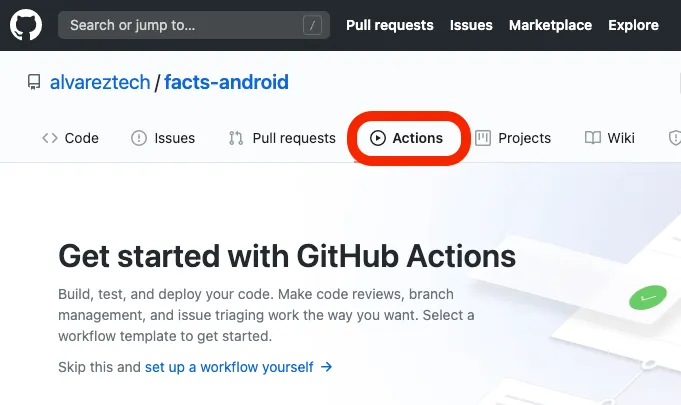
The first step is to have the Android project on GitHub. Then, in the repository, open the Actions tab.
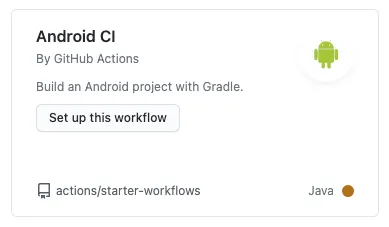
GitHub offers quick-start templates for many technologies. To get a starting point, pick the Android CI template.
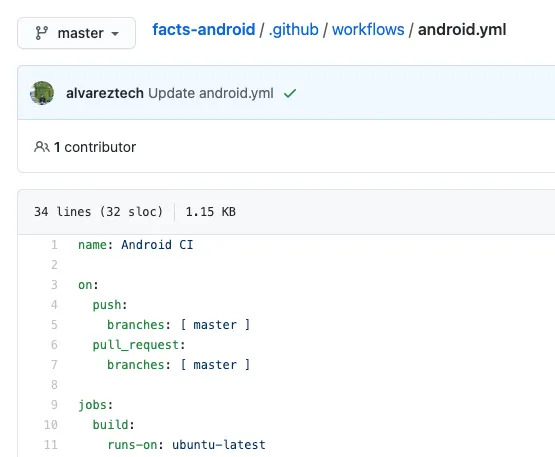
That generates a YAML file where we describe everything that should happen when the master branch changes, whether from a commit or an approved pull request.
The template runs as it is, with one addition: we need to make gradlew executable to avoid permission errors.
chmod +x gradlewOur starting YAML looks like this:
name: Android CI
on:
 push:
   branches: [ master ]
 pull_request:
   branches: [ master ]
jobs:
 build:
   runs-on: ubuntu-latest
   steps:
   - uses: actions/checkout@v2
   - name: set up JDK 1.8
     uses: actions/setup-java@v1
     with:
       java-version: 1.8
   - name: Build with Gradle
     run: |
       chmod +x gradlew
       ./gradlew build
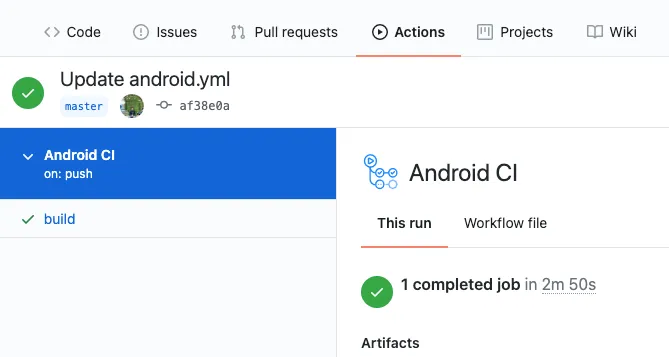
Any change to the YAML file triggers the workflow. You can also run it manually and read the full log of the process.
Securing sensitive data and files
For the workflow to produce an APK or AAB signed and ready to upload to AppGallery, it needs a few files, and those files must stay out of the repository. Add them to .gitignore so they are never committed by mistake.
In an Android project that uses Huawei Mobile Services, these are the pieces to keep private:
- The keystore file
- The keystore password and keystore alias password values
- The
agconnect-services.jsonfile
The workflow needs this information, but it cannot live in the YAML file, where anyone with access to the repository can read it. GitHub has a dedicated place for it: Secrets.
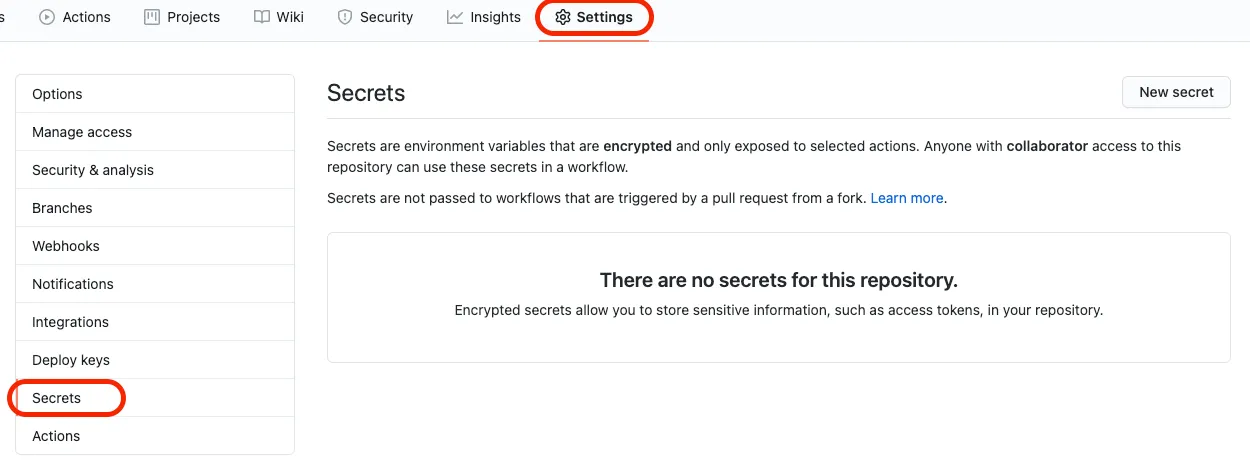
The catch is that Secrets stores key-value pairs, not files.
So to store the keystore, which we need in order to sign the application, we turn it into a string, and do the same with the agconnect-services.json configuration file.
We do that from the command line with gpg.
gpg -c --armor mykeystore.jksIt asks for a passphrase and produces a mykeystore.jks.asc file. That file holds a Base64 string, and that string is what we save in Secrets.
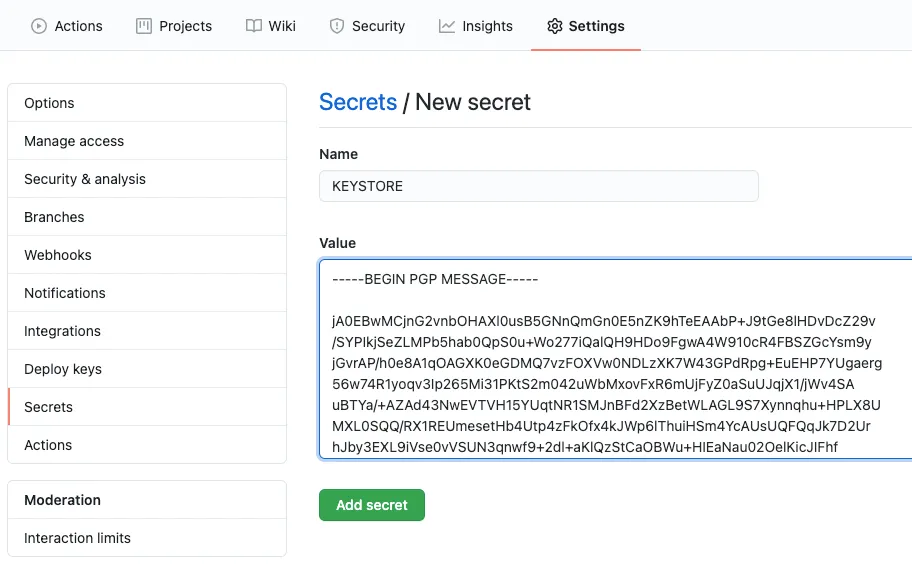
Repeat this for every sensitive file the workflow needs, and store each passphrase as well: we will use it to rebuild the file from its Base64 value when the pipeline runs.
The result looks like this, with one passphrase per file, though a single shared one would work too:
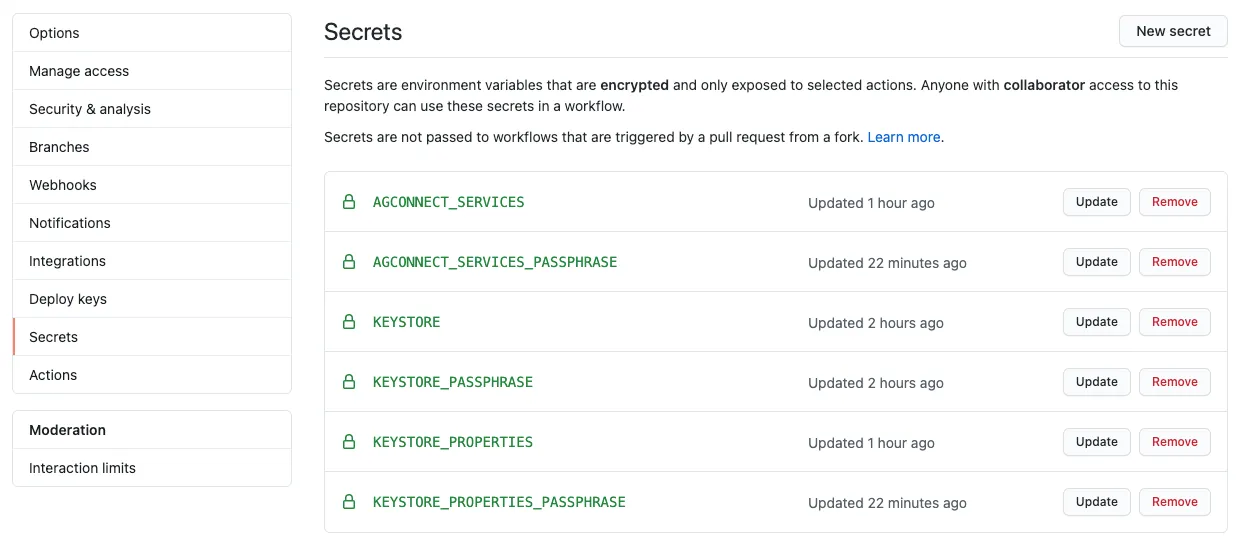
Note the keystore.properties file, which holds the keystore passwords and the alias.
The idea is to use these values in the workflow to produce the signed APK.
We add a new step to the YAML that reverses the process: write the .asc file, then use the passphrase to restore the original file in its directory.
- name: Prepare Secret Files
  run: |
     echo "${{ secrets.KEYSTORE }}" > alvareztech.jks.asc
     gpg -d --passphrase "${{ secrets.KEYSTORE_PASSPHRASE }}" --batch alvareztech.jks.asc > app/alvareztech.jks
     echo "${{ secrets.KEYSTORE_PROPERTIES }}" > keystore.properties.asc
     gpg -d --passphrase "${{ secrets.KEYSTORE_PROPERTIES_PASSPHRASE }}" --batch keystore.properties.asc > keystore.properties
     echo "${{ secrets.AGCONNECT_SERVICES }}" > agconnect-services.json.asc
     gpg -d --passphrase "${{ secrets.AGCONNECT_SERVICES_PASSPHRASE }}" --batch agconnect-services.json.asc > app/agconnect-services.json
Generating the signed application
Once every file is in place and the signing configuration lives in the app module’s build.gradle, generating the APK is a single Gradle command.
signingConfigs {
    release {
        storeFile file(keystoreProperties['storeFile'])
        storePassword keystoreProperties['storePassword']
        keyAlias keystoreProperties['keyAlias']
        keyPassword keystoreProperties['keyPassword']
        v2SigningEnabled true
    }
}
Generating the signed APK is then just:
./gradlew assembleReleaseGetting the signed APK
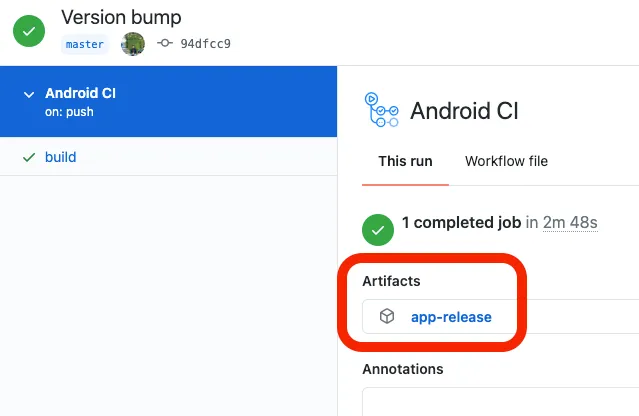
Eventually we want to upload this file to AppGallery through the Publishing API that AppGallery Connect provides. For now, we settle for downloading the artifact the workflow produces.
- name: Publish APK
  uses: actions/upload-artifact@v2
  with:
    name: app-release
    path: app/build/outputs/apk/release/
What we have is a workflow that automatically generates a signed APK for every change we push to the master branch. The artifact is downloadable, though for now GitHub only serves it as a ZIP.
Conclusion
Everything is ready to start using the Publishing API, and the sensitive files of a Huawei Mobile Services project are handled properly. In the second part we keep assembling the pipeline at a low level, so that no step stays a black box.
Here is the complete file so far:
name: Android CI
on:
 push:
   branches: [ master ]
 pull_request:
   branches: [ master ]
jobs:
 build:
   runs-on: ubuntu-latest
   steps:
   - uses: actions/checkout@v2
   - name: set up JDK 1.8
     uses: actions/setup-java@v1
     with:
       java-version: 1.8
   - name: Prepare Secret Files
     run: |
        echo "${{ secrets.KEYSTORE }}" > alvareztech.jks.asc
        gpg -d --passphrase "${{ secrets.KEYSTORE_PASSPHRASE }}" --batch alvareztech.jks.asc > app/alvareztech.jks
        echo "${{ secrets.KEYSTORE_PROPERTIES }}" > keystore.properties.asc
        gpg -d --passphrase "${{ secrets.KEYSTORE_PROPERTIES_PASSPHRASE }}" --batch keystore.properties.asc > keystore.properties
        echo "${{ secrets.AGCONNECT_SERVICES }}" > agconnect-services.json.asc
        gpg -d --passphrase "${{ secrets.AGCONNECT_SERVICES_PASSPHRASE }}" --batch agconnect-services.json.asc > app/agconnect-services.json
   - name: Build with Gradle
     run: |
       chmod +x gradlew
       ./gradlew assembleRelease
   - name: Publish APK
     uses: actions/upload-artifact@v2
     with:
       name: app-release
       path: app/build/outputs/apk/release/
You can see all of this implemented in a real project:
facts-androidResources
You can follow the second part on: Automate your releases to AppGallery with Github Actions (Part 2)